
Why We Need It
- Reduce review cost by making changes and impact obvious.
- Standardize the team’s commit habits and improve engineering discipline.
- Use a consistent format so tools can generate changelogs automatically.
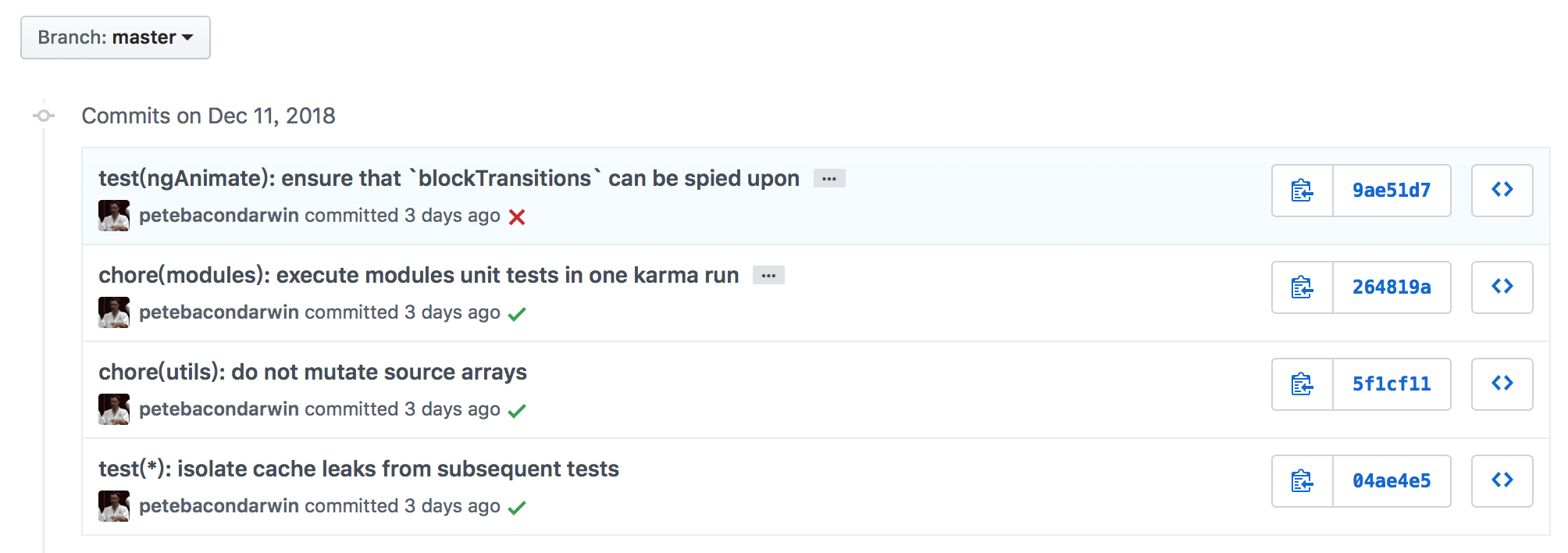
GitHub Angular Demo
The Angular project on GitHub follows a strict Git message convention for daily commits and release management. Below is a snapshot of its commit history and the changelog generated from those commits.
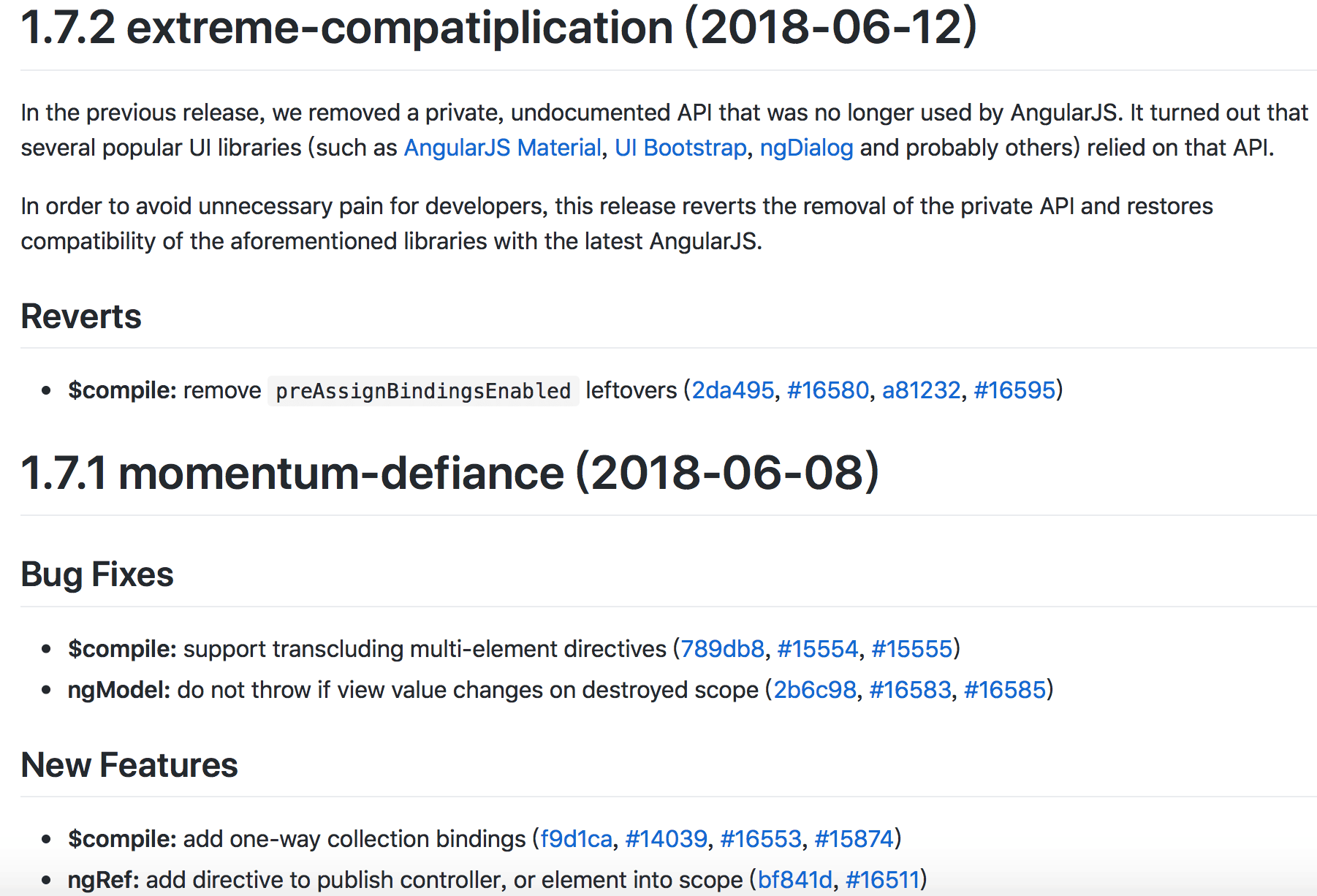
Which Standard to Follow
The most commonly used convention is the AngularJS standard.
# Includes three parts: Header, Body, and Footer

<type>(<scope>): <subject>
// blank line
<body>
// blank line
<footer>
Header
Header includes three fields: type (required), scope (optional), and subject (required).
No line should exceed 100 characters.
type
Type describes the commit category. Common types include:
- feat: A new feature
- fix: A bug fix
- docs: Documentation only changes
- style: Changes that do not affect the meaning of the code (white-space, formatting, missing semi-colons, etc)
- refactor: A code change that neither fixes a bug nor adds a feature
- perf: A code change that improves performance
- test: Adding missing or correcting existing tests
- chore: Changes to the build process or auxiliary tools and libraries such as documentation generation
- revert: Reverts a previous commit
- build: Changes that affect the build system or external dependencies (example scopes: gulp, broccoli, npm)
- ci: Changes to our CI configuration files and scripts (example scopes: Travis, Circle, BrowserStack, SauceLabs)
If the type is feat or fix, the commit will appear in the changelog. For other types, decide whether they should be included.
scope
Scope describes the area affected, such as data layer, controller, or view layer. It varies by project.
subject
Subject is a short description of the commit’s purpose.
Body
Body is a detailed description of the commit and can be multi-line.
Footer
Footer is used only in two cases.
Breaking changes
If the current code is incompatible with the previous version, start the Footer with BREAKING CHANGE, followed by a description, rationale, and migration steps.
Closing issues
If the commit targets an issue, you can close it in the Footer.
Example: Closes #123, #245, #992
Tooling Constraints
Our goal is to generate and enforce conventions through tools.
Commitizen
commitizen/cz-cli replaces git commit.
Use the git cz command to generate commit messages that follow the convention.
# Install (make sure npm is installed first)
# Global install of commitizen
npm install commitizen -g
You also need to specify an adapter for Commitizen, such as cz-conventional-changelog (a preset that follows the Angular convention), so Commitizen can generate compliant messages.
# Go to your repo root

cd your_repo_root_path
# Initialize package.json
npm init --yes
# Set the adapter for commitizen
commitizen init cz-conventional-changelog --save-dev --save-exact
Now you can use git cz for commits.
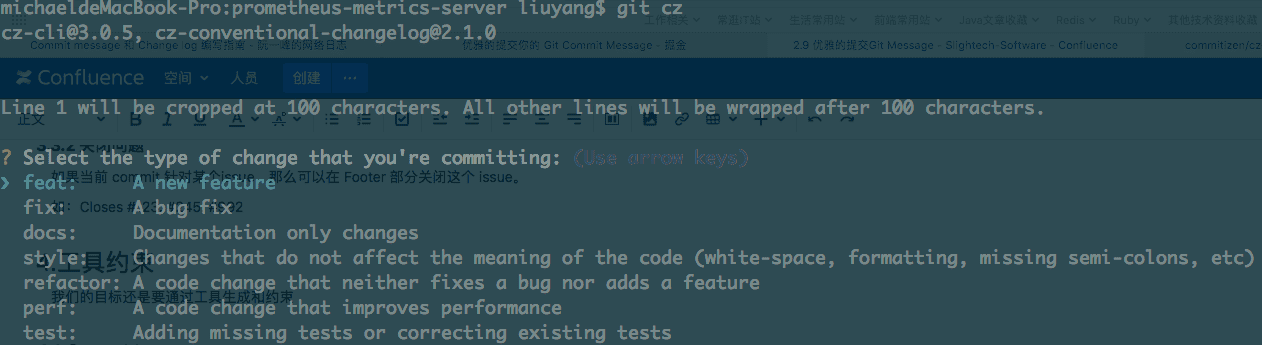
However, if you still use git commit -m "", Git will accept it, which isn’t what we want. We need format enforcement, so we add commitlint + Husky.
Commitlint + Husky
commitlint checks commit message format.
If a commit does not match the target convention, it should be rejected.
The best way to validate commit messages is via git hooks, so we use Husky.
# In your repo root
npm install --save-dev @commitlint/{config-conventional,cli}
npm install husky --save-dev

# Add to the end of package.json
"husky": {
    "hooks": {
      "commit-msg": "commitlint -E HUSKY_GIT_PARAMS"
    }
}

# Create commitlint.config.js in the repo root
module.exports = {
  extends: ['@commitlint/config-conventional'],
  rules: {
  'type-enum': [2, 'always', [
     "feat", "fix", "docs", "style", "refactor", "perf", "test", "build", "ci", "chore", "revert"
   ]],
  'scope-empty': [2, 'never'],
  'subject-full-stop': [0, 'never'],
  'subject-case': [0, 'never']
  }
};
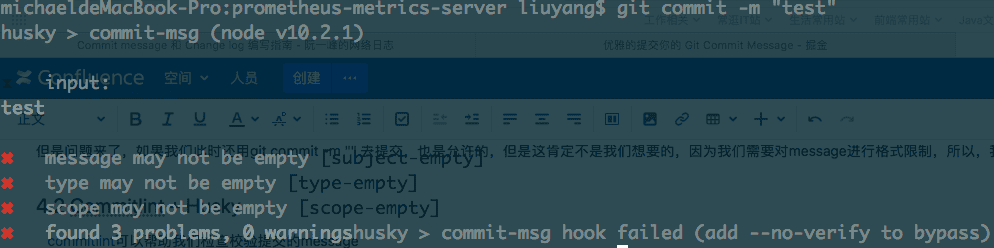
Now try git commit -m "test" and you should see it blocked:
Standard Version
With the tooling above, your commit messages should follow the Angular convention. That also makes it easy to use a tool like standard-version to generate CHANGELOGs and even semantic versions.
# In your repo root
npm install --save-dev standard-version
# Add a script to package.json
{
  "scripts": {
    "release": "standard-version"
  }
}
# Generate changelog
# First time
npm run release -- --first-release
# Later
npm run release
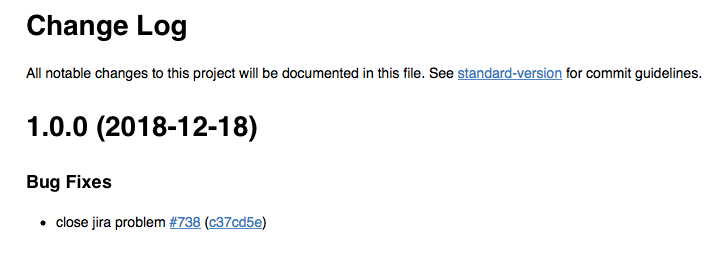
A CHANGELOG.md file will be generated in the repo root:
How to Use It in a Project
After completing the steps above, you’ll end up with a package.json. Commit only package.json and commitlint.config.js to your repo.
Add node_modules and package-lock.json to .gitignore.
When someone clones the project, they can run npm install in the repo root to set everything up.
PS: If npm mirrors are unstable overseas, you can switch to the Taobao registry.
npm config set registry https://registry.npm.taobao.org