You can’t manage what you don’t measure. – Peter Drucker
If you can’t measure it, you can’t manage it.
This is a famous quote from Peter Drucker, the father of modern management. For project management and agile development, the prerequisite is to connect the data and make it visible and measurable—only then can you see it and manage it.
This article uses a SaaS product as an example to explain how a “small team” can implement agile development in practice.
Why Implement It
- Progress is opaque; we don’t know where the work actually is.
- Delayed releases become the norm, and we don’t know when things will ship.
- After releases, we feel uneasy and don’t know when issues or failures will appear.
- Communication cost is too high, and RD/FE/QA/PM are frequently misaligned.
- Requirements are inserted arbitrarily and frequently, without cost awareness.
- It’s unclear whether the R&D workload is normal, overloaded, or underutilized.
In internet startups, demand and limited resources are always in conflict. Finding balance, focusing limited resources on strategic needs, and keeping team rhythm and morale are the pain points that agile management aims to solve. It also provides answers to the problems above.
Tools We Use
The tools you use shape the way you work.
- Atlassian Confluence
- Atlassian Jira
How to Do It Well
“Requirement Review ➡️ Design Review ➡️ Development ➡️ Testing ➡️ Acceptance ➡️ Release ➡️ Post-Assessment”
To make product and R&D processes visible, controllable, and synchronized, we adopted a four-board agile management model. The boards and their functions are as follows:
Public Requirement Board (Kanban Board)
Use this board to build a public requirement pool and collect requests from cross-functional stakeholders. Market feedback is routed here promptly. Board type: Kanban.
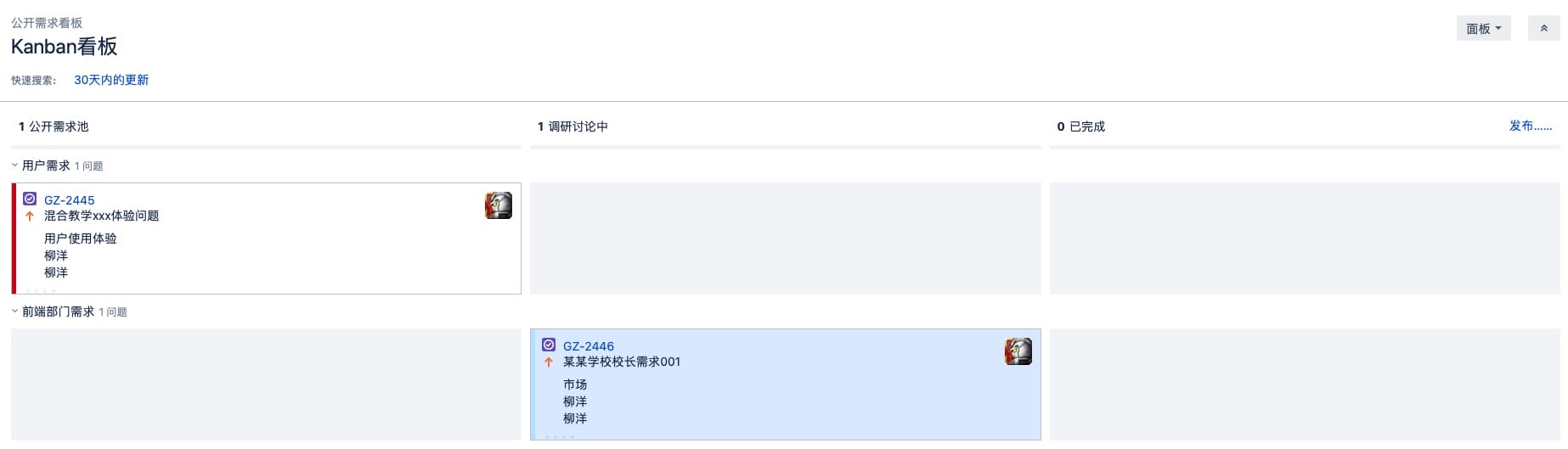
Requirement Board (Kanban Board)
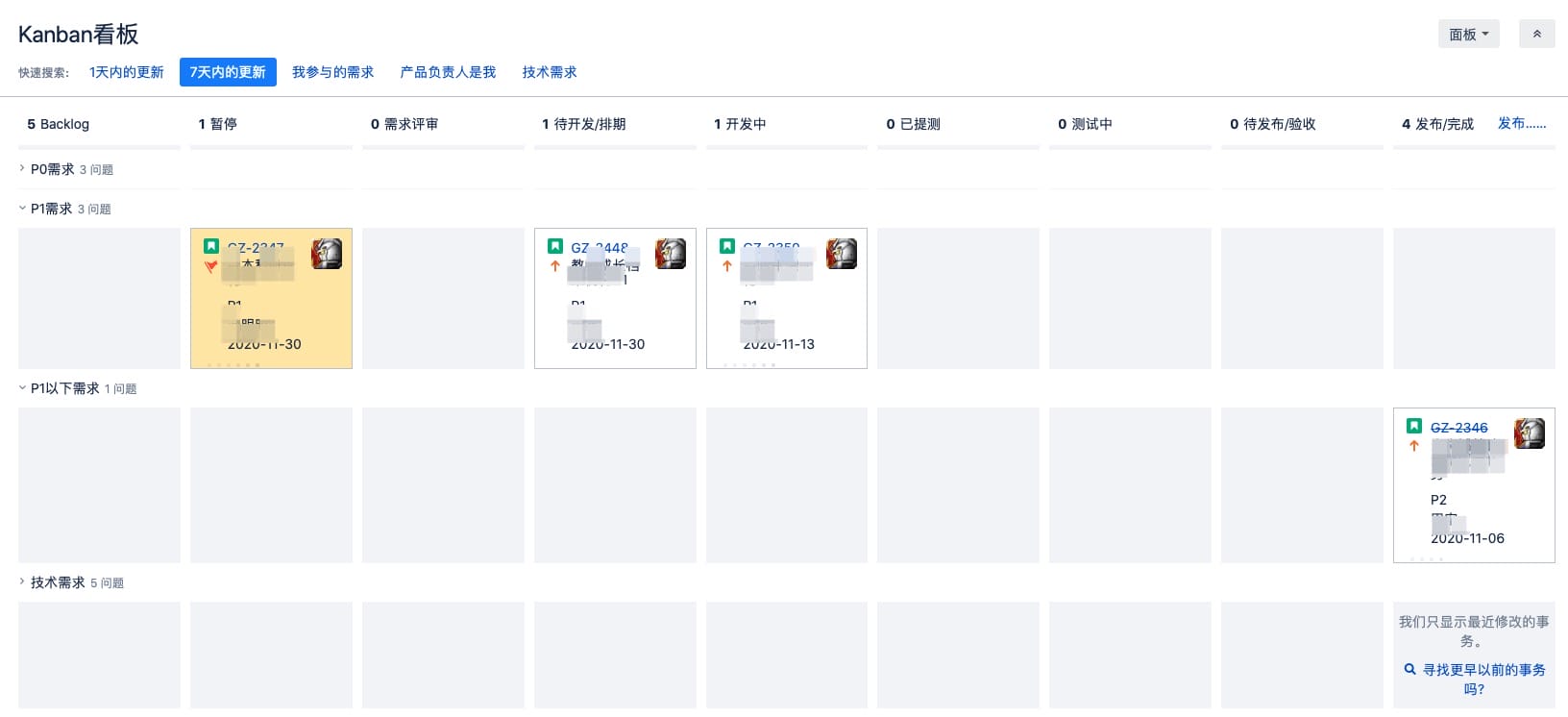
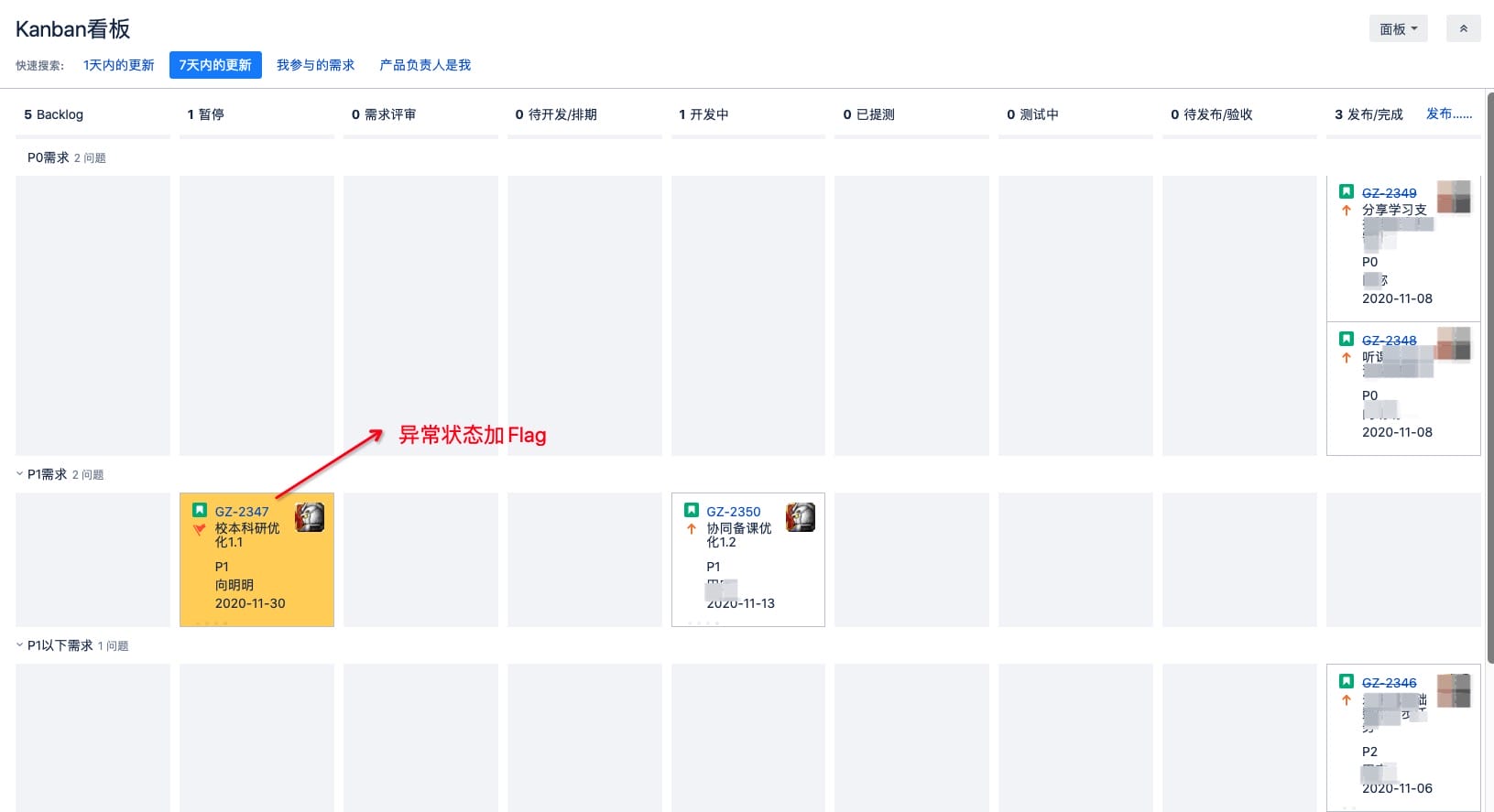
Build a lifecycle for requirements and visualize flow across stages: “Backlog – Review – Scheduling – Design – Development – Release.”
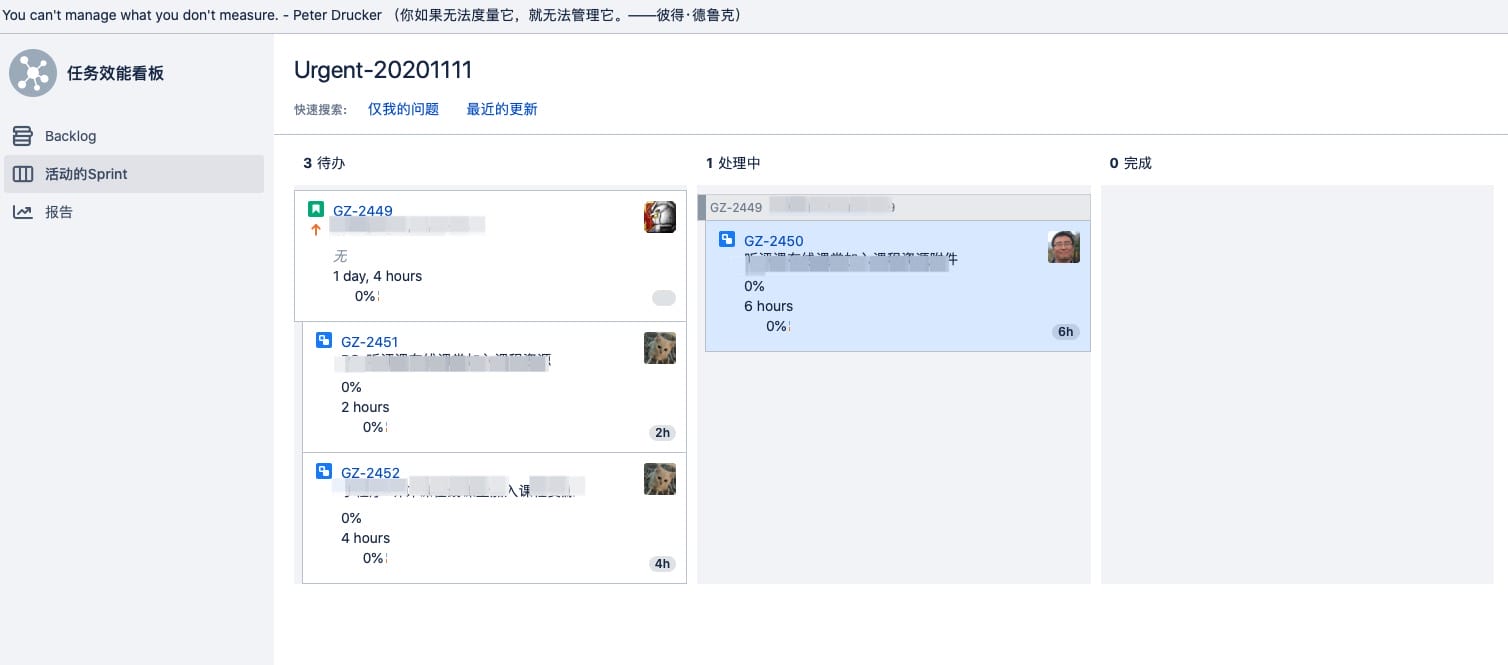
Task Efficiency Board (Scrum Board)
Predefine release windows so everyone can see schedule risk early. Product, engineering, and requesters can communicate quickly to sync changes or progress.
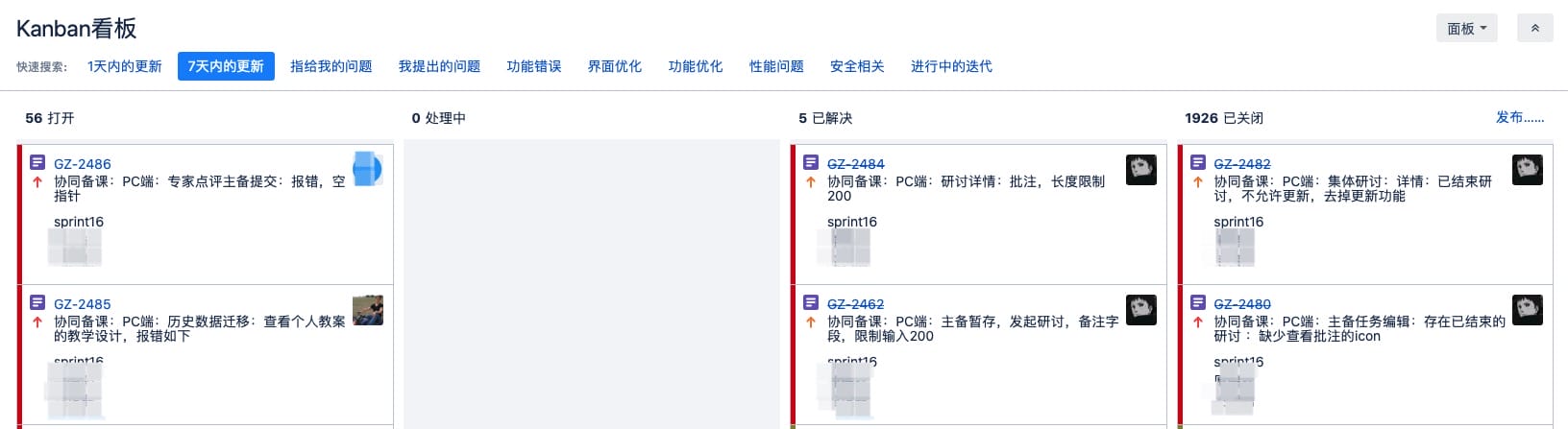
Bug Board (Kanban Board)
Track bug counts by type within the iteration clearly.
Public Requirement Management (Public Requirement Board)
Our company is in the education SaaS space. Public requirements mainly come from:
- Key customers (schools)
- Daily user feedback (teachers, students, parents)
- Sales channels
We identify and filter fake, minor, or non-strategic requests here. Managing the many requests from business stakeholders is still hard. Common sources include:
- Sales
- Marketing
- Internal (product roadmap / other)
- User experience feedback
Customer success, sales, and other stakeholders can submit public requirements on this board. Product managers filter and research them, then convert them into product requirements and move them into the product backlog. The Public Requirement Board card fields typically include: requirement description, source, reporter, and owner.
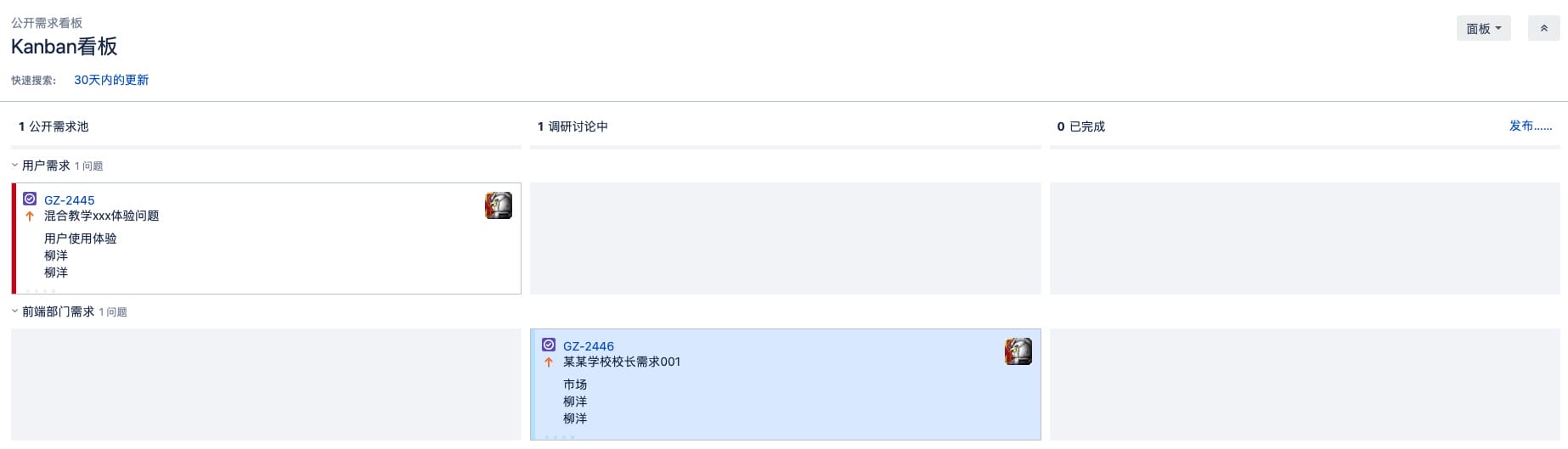
- If a requirement has very low value or will definitely not be done, move it directly to Done.
- If it has some value or needs analysis, move it to Research & Discussion. After confirmation, move it to Done.
Product R&D Requirement Management (Requirement Board)
Requirement categories
Internally, we split requirements into two types:
- Product requirements: iteration, urgent, and routine requirements proposed by PMs
- Technical requirements: refactoring and improvement work for stability, scalability, and maintainability
Requirement priority
An old saying goes: “An army must have a justification.” Requirements should, too. To help engineers understand importance and urgency, priority levels are essential.
-
Product requirement levels
- P0: critical tasks that must be completed as fast as possible; can reassign people, pause other projects, and require overtime
- P1: very important tasks with a deadline; cannot be delayed; if a P0 appears, overtime is needed to protect the P1 deadline
- P2: important and impactful tasks with a deadline; can be postponed when P0/P1 appear (most tasks)
- P3: nice-to-have tasks, lowest priority
-
Technical requirement levels
- T0: major performance or security issues, requires urgent fixes
- T1: scalability or performance risks, usually handled as separate tasks
- T2: design or general performance issues, often improved during iterations
Product requirement management (Requirement Board)
PMs and engineers communicate through PRDs. Engineering ultimately develops and tests based on PRDs, so the first step is creating a PRD. PRDs are managed flexibly. Some PMs use Lanhu, others use MockingBot. To unify archiving, we store PRDs in Confluence (the detailed link can point to any tool). When creating in Confluence, use a template, as shown below:
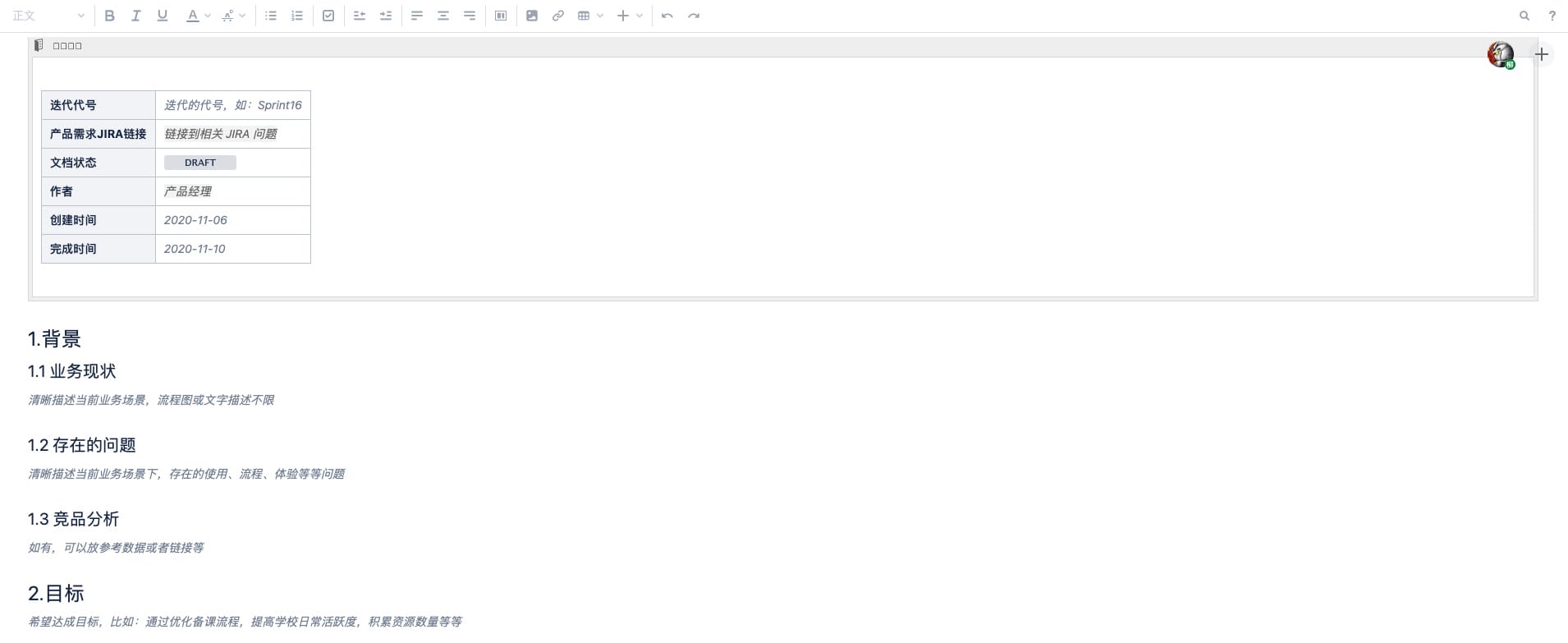
Main contents include:
- Background description
- Business goals
- Requirement links and feature list (stories)
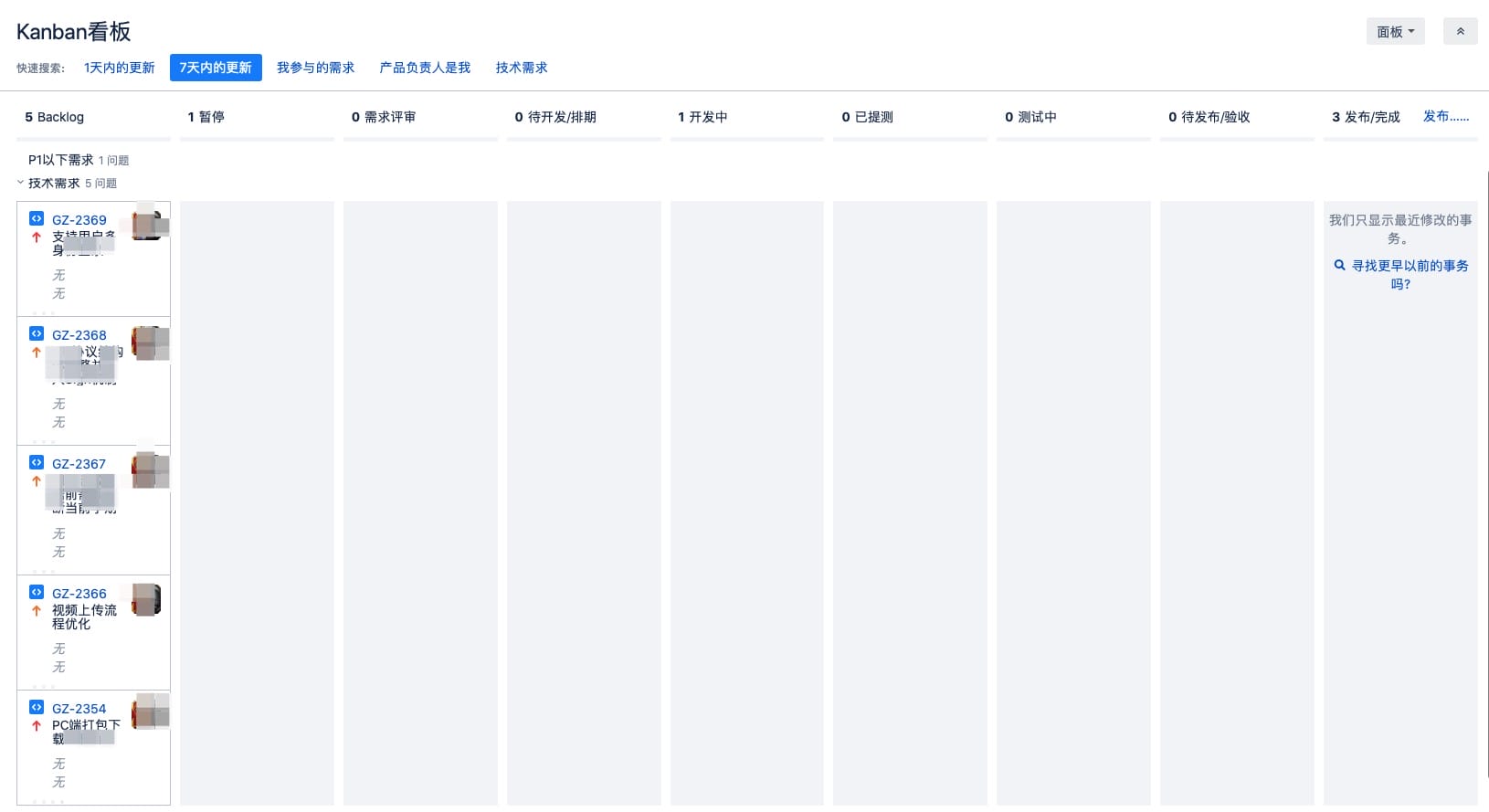
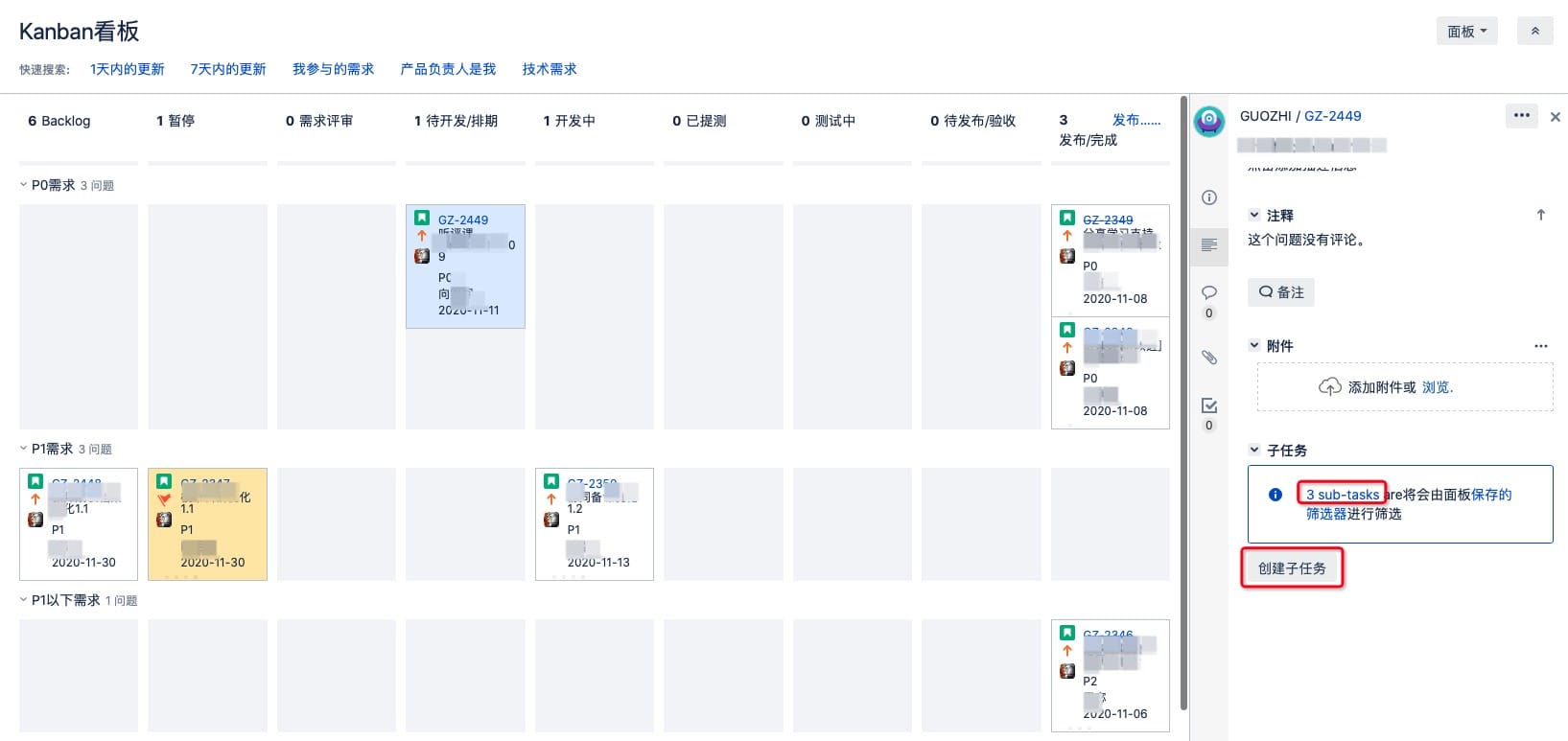
The Requirement Board has four swimlanes: P0, P1, below P1, and Technical Requirements. To make searching easier, we added common keywords to quick search. Each card includes: priority level, due date, and owner.
Technical requirement management (Requirement Board)
Examples include data structure changes or architecture improvements (e.g., switching to Apollo for config). These are considered technical requirements. Their display and board behavior is basically the same as product requirements and also appears on the Requirement Board.
Technical Task Management (Task Efficiency Board)
This stage transitions from requirements to development. The tasks here include:
- Development tasks: RD, FE
- Developer self-testing: RD, FE
- Test case writing: QA
- Test case execution: QA
These tasks mainly come from two sources:
- Product requirements
- Technical requirements
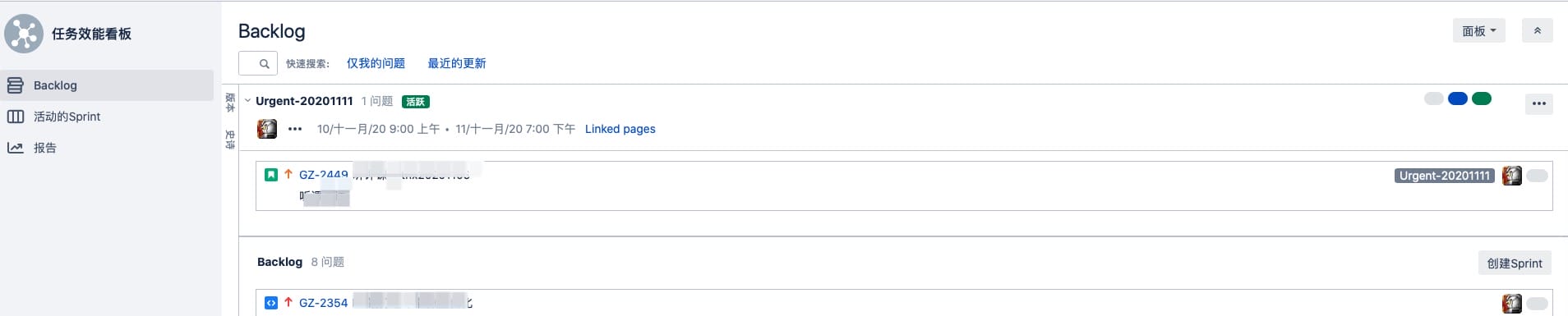
We use the Task Efficiency Board to manage them. Before starting, drag the product or technical requirements to be iterated from the Backlog, as shown:
Then create sub-tasks under each product/technical requirement in the Requirement Board, as shown:
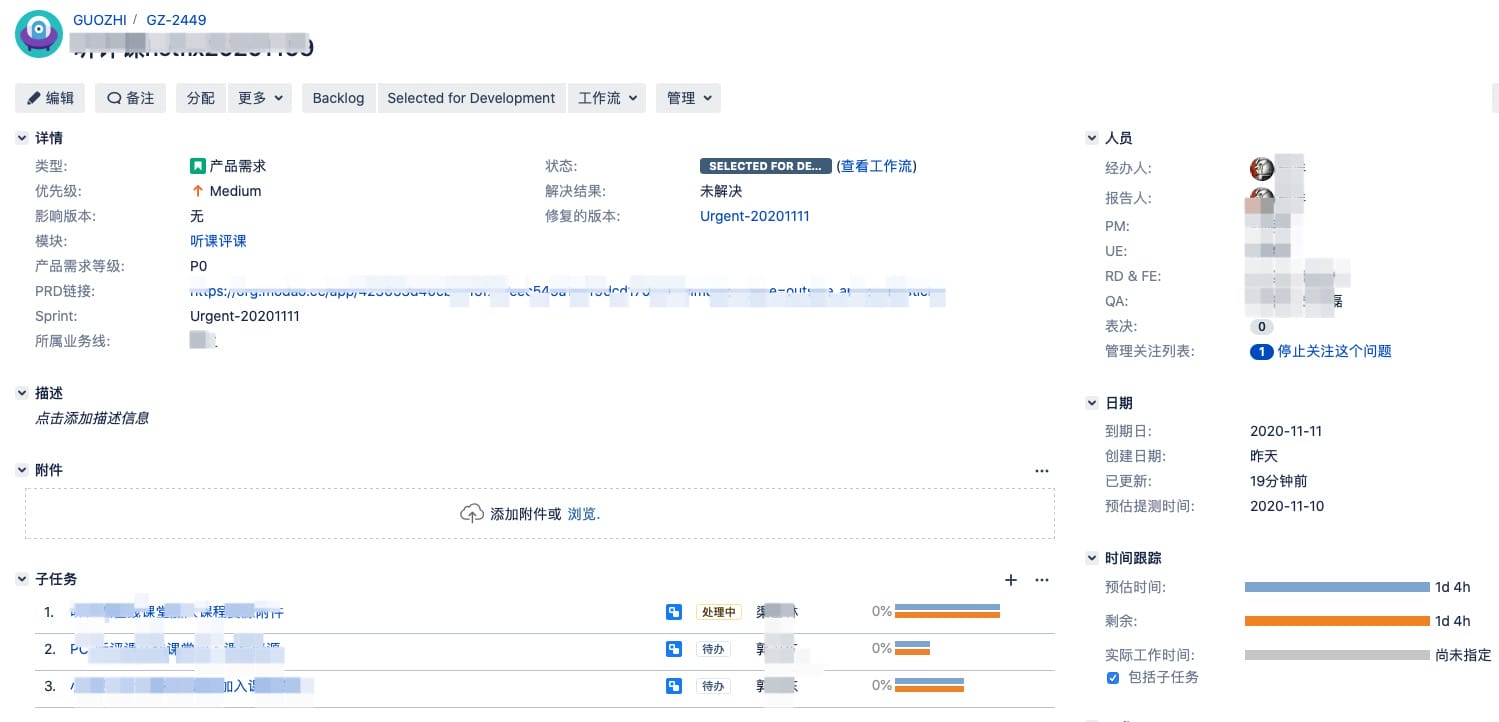
After creation, you can view parent/child task details and see effort tracking:
Start the sprint and set the timeline:
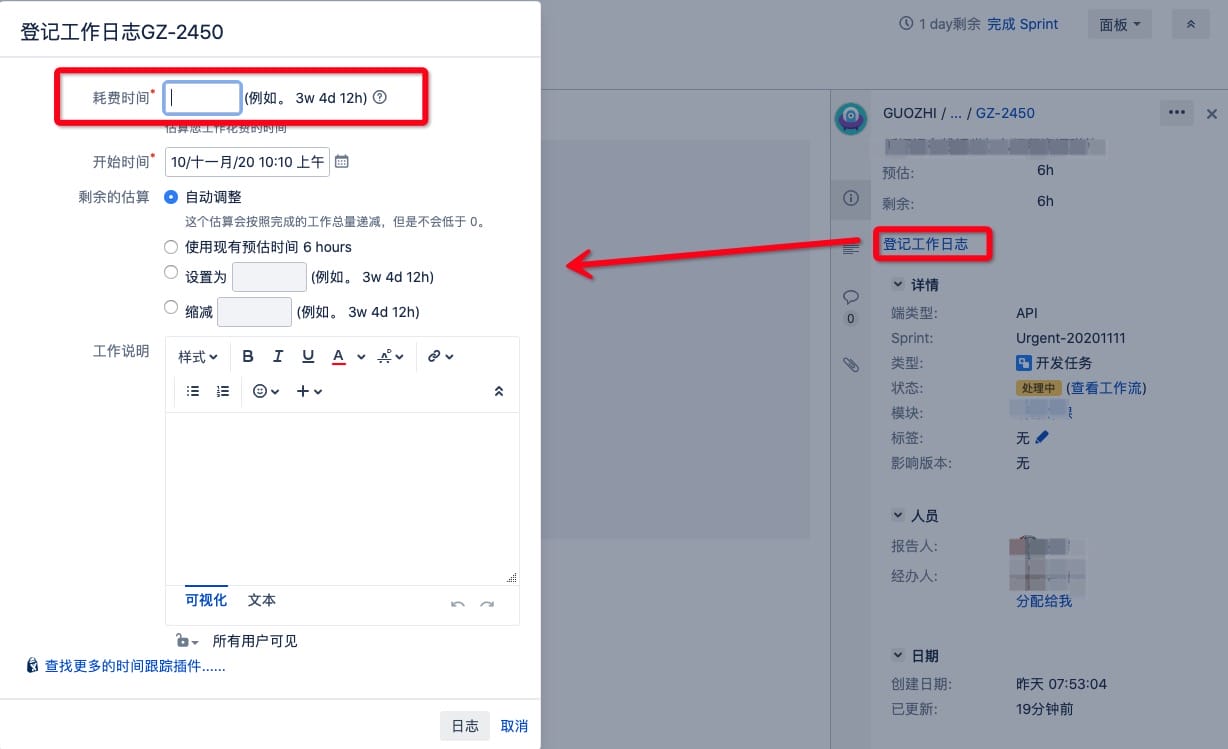
RD, QA, and FE fill in their daily work logs before the end of each day so we can track effort:
Bug Management (Bug Board)
Bugs created during a sprint appear on the Bug Board. The workflow is: Open ➡️ In Progress ➡️ Resolved ➡️ Closed.
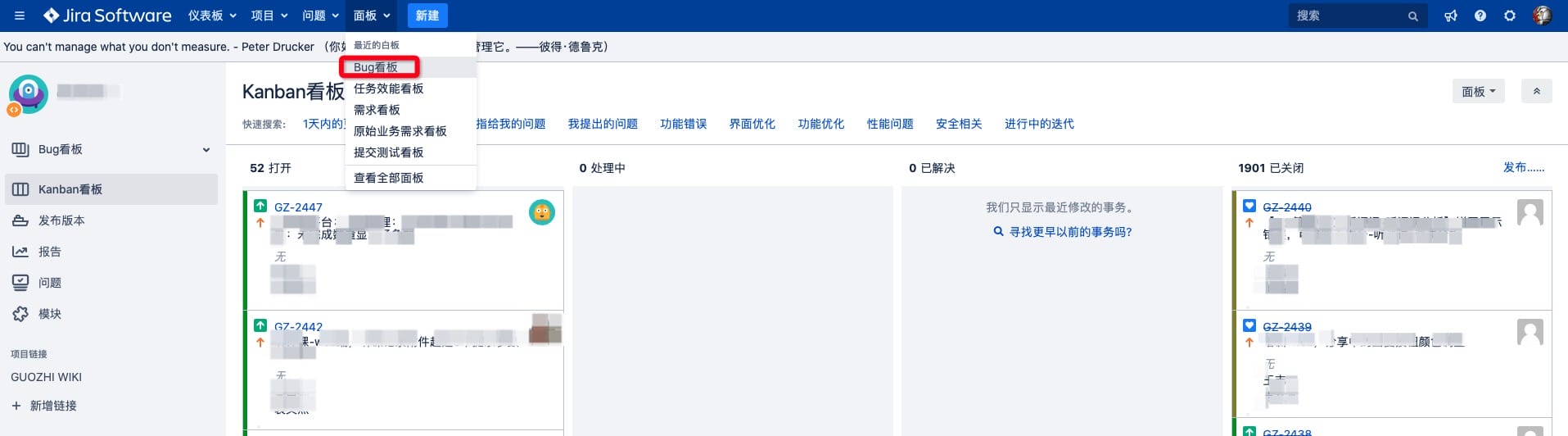
We classify bug types as:
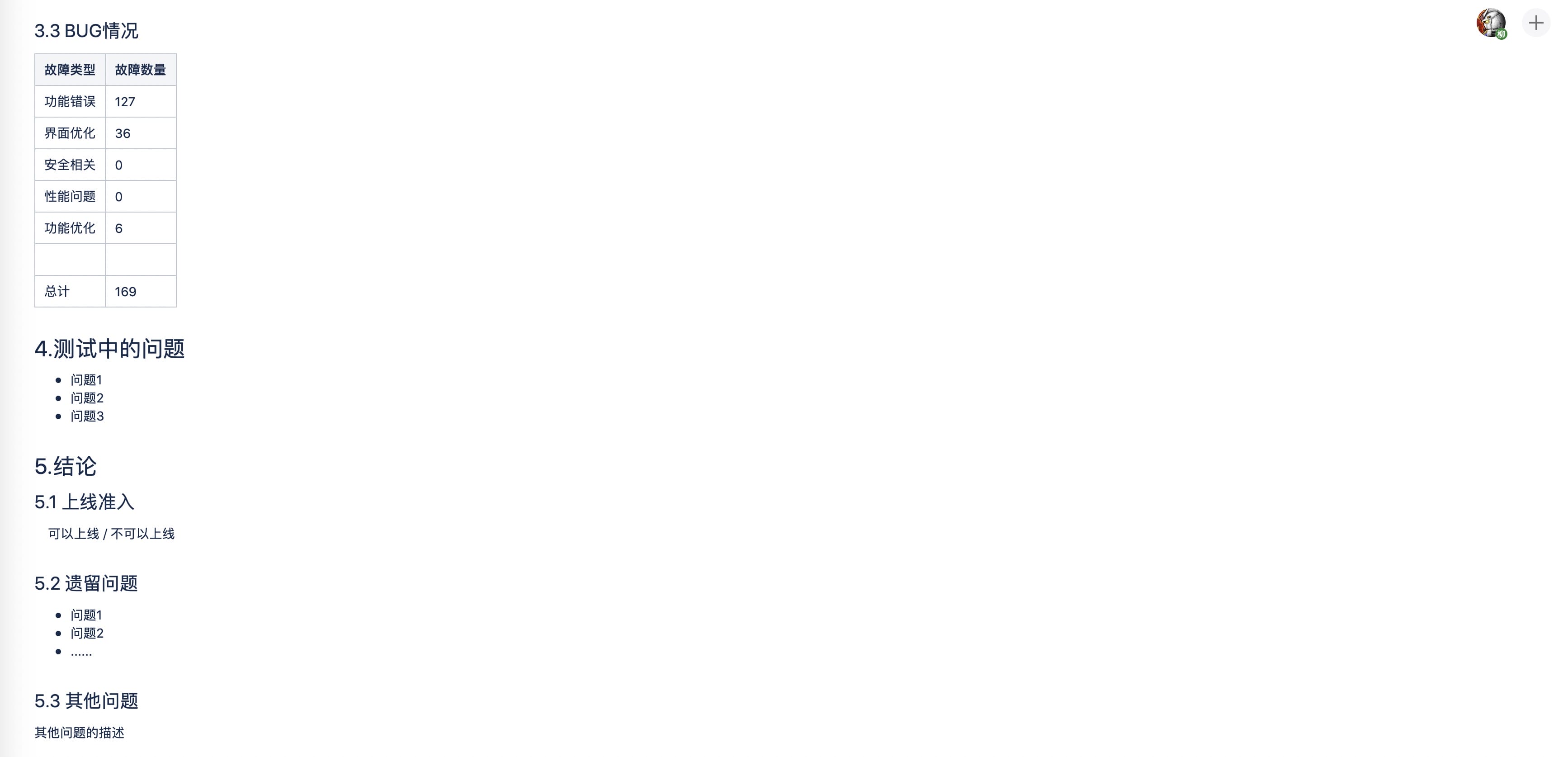
- Functional defects
- UI improvements
- Feature improvements
- Performance issues
- Security-related issues
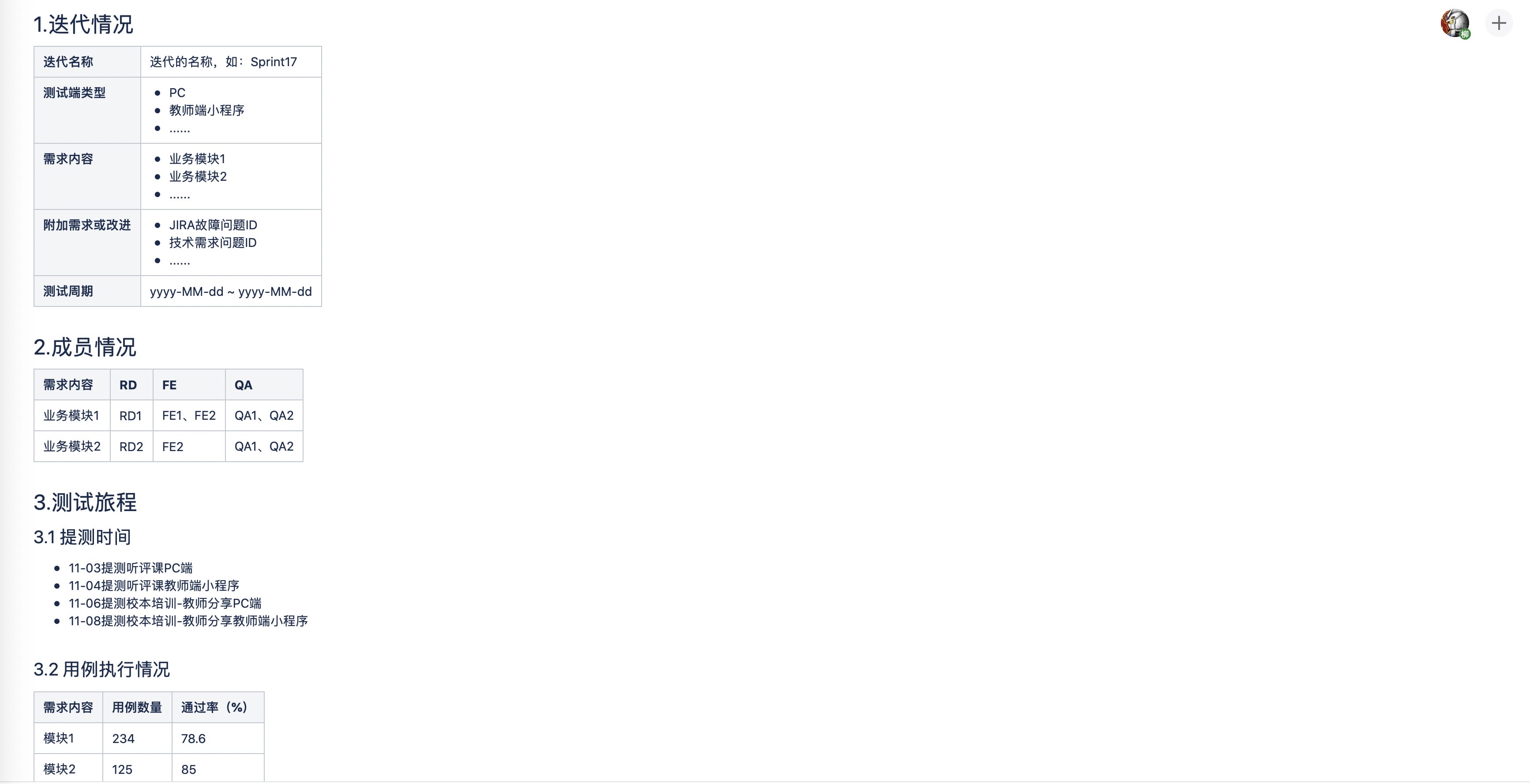
After the iteration ends, QA analyzes bug statistics and produces a test report. We created a unified Confluence template for test reports. The main contents look like this:
Summary
Lifecycle management for requirements and efficiency is customized to our product and team stage. It should continue evolving as people and phases change. Below are the core processes and methods we use in Jira and Confluence:
- 4 boards
- Public Requirement Board: handles “key customer demands” and “user experience issues” from market/sales-facing teams
- Requirement Board: manages product and technical requirements
- Task Efficiency Board: manages development phase tasks and effort tracking across RD/FE/QA
- Bug Board: manages five bug categories within iterations: feature improvements, functional defects, UI improvements, performance issues, and security-related issues
- 2 templates
- Product requirement template: manages product requirements
- Test report template: summarizes bugs and testing after each iteration
At this stage, we’ve only implemented a small part of agile management. Many more practices will be added and refined over time.
Agile management exists to deliver products quickly and reliably. Don’t let the pursuit of agile tools distract you from the real goals.